Clothes & Items Not Showing in Catalog Avatar Creator — Fixed
Why clothes bought in Catalog Avatar Creator are not showing on your Roblox avatar: the in-game vs inventory distinction, the six-step checklist, and saved-outfit loading quirks.
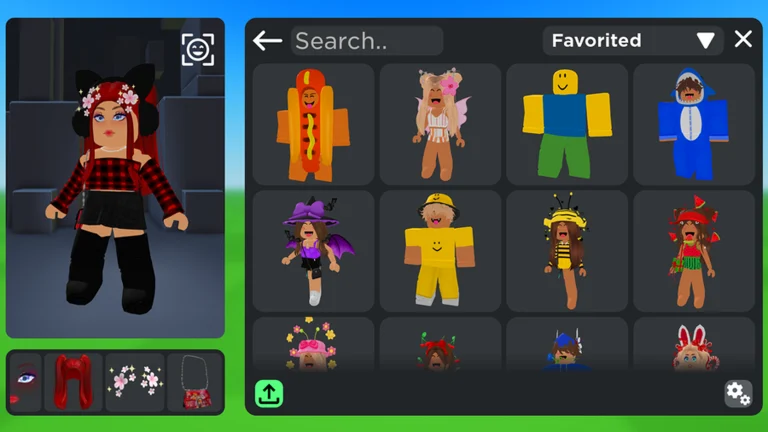
Clothes not showing in Catalog Avatar Creator is almost always one specific misunderstanding: the game cannot change your actual Roblox avatar. Trying on and buying items inside Catalog Avatar Creator happens in its own editor — those items do not automatically appear on your avatar in other Roblox games. It is not something you did wrong — the game just works differently than it looks. The fix for the most common case takes one minute, and the checklist below covers every other reported cause, from sync delays to items pulled from the catalog.
Community report · 2026-09-21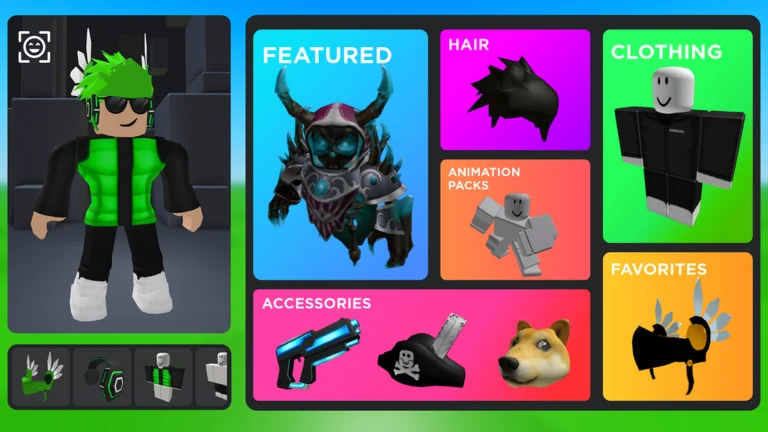
Official in-game image © Muneeb via the Roblox game page.
Quick answer
Quick answer: items you equip in Catalog Avatar Creator apply to the in-game mannequin only. To wear them on your real avatar, open the Roblox avatar editor (outside the game), go to the matching category — e.g. Accessories → Face for glasses — and select the item there. If the item is missing from your inventory too, it is a sync issue: rejoin and refresh.
Why it happens: the game's editor vs. your real avatar
The official description says it plainly: "All purchases made in-game will be available in your Roblox inventory & can be used in all games." Available — not applied. The flow is:
- You try on or buy an item in Catalog Avatar Creator.
- The purchase lands in your Roblox inventory (your account-wide item list).
- Your avatar in other games only shows items equipped in the Roblox avatar editor — a separate screen, not this game.
So when players say "my clothes are not showing", they are usually on step 3: the item exists in the inventory, but nobody equipped it in the editor. Open the Roblox app or website → Avatar → pick the category → select the item.
Stated by developer · 2026-09-21The six-step checklist for everything else
If the item is not showing inside Catalog Avatar Creator either, or it is missing from your inventory entirely, work through these in order:
- Rejoin the game. Most inventory-sync delays clear on a fresh join.
- Refresh your inventory. Check the item in your Roblox inventory on the website or app — if it shows there, the purchase went through and it is a display issue in-game.
- Check the item's catalog page. If it is off-sale, deleted or moderated, it can stop rendering or stop being equippable.
- Check your connection. Assets stream in; a weak connection leaves items invisible while the rest of the UI works.
- Clear the app / client cache. Stale assets can fail to render after game updates.
- Try another device or server. Server-side hiccups affect some servers before others — hopping to an
empty one with
/vipdoubles as a clean test (see the private server guide).
Saved outfits that refuse to load
A separate quirk: saved avatars can fail to load when they are given a name — leaving the save unnamed reportedly works around it (to be verified). If your saved look breaks after naming it, try a fresh unnamed save before assuming your looks are gone — the full saving topic has its own saved outfits guide.
Community report · 2026-09-21Related issues that look identical
- Everything fails to load at once (loader spinning on phone and tablet) — that is the loading-side problem, not a clothes problem: see items not loading.
- Layered clothing sits wrong or clips — layered clothing is its own topic; a dedicated guide is coming (to be verified).
- You typed an item ID and nothing happened — the asset may be off-sale or deleted: see item IDs.
FAQ
Do items I try on for free stay on my avatar?
No. Trying on is preview-only inside the game. What persists is what you buy (it goes to your inventory) and what you save as an outfit inside Catalog Avatar Creator.
I bought an item but was charged Robux for nothing
That has really happened — a bug reported on the Roblox DevForum back in 2022 charged players for purchases that failed. If you were charged, the item never turned up, and a rejoin did not fix it, contact Roblox support with your transaction details. Don't just write it off.
Community report · 2026-09-21Why do my clothes show in one server but not another?
Server-side sync and asset caches differ per instance — especially right after a game update. Rejoin a
different server (or an empty one via /vip); if it persists everywhere, run the six-step checklist above.
All guide
Related pages