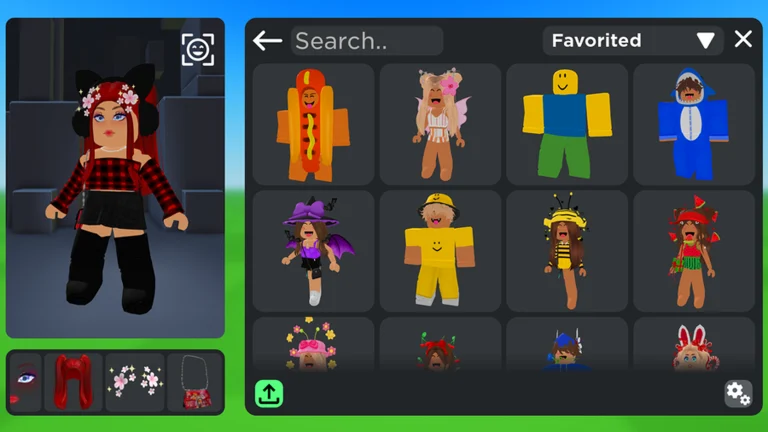
Create Your Own Item in Catalog Avatar Creator — UGC Store Guide (2026)
How to create and publish your own items in Catalog Avatar Creator's UGC store: the free publishing flow, how earnings work, and the UGC Creator group role.
Catalog Avatar Creator is not only about wearing items — it lets you create and sell your own. The in-game UGC store lets players publish their creations free; other players buy them, the creator earns Robux, and publishing earns the official UGC Creator group role. Here is how the system works and how to get started.
Roblox API · 2026-10-09Quick answer
Quick answer: Catalog Avatar Creator runs an in-game UGC store where anyone can publish items free — no approval queue of their own to run, no upfront cost. Buyers pay Robux, creators earn, and publishing earns the official UGC Creator group role. Open the UGC Store section in-game and follow its publish flow.
What the UGC store is
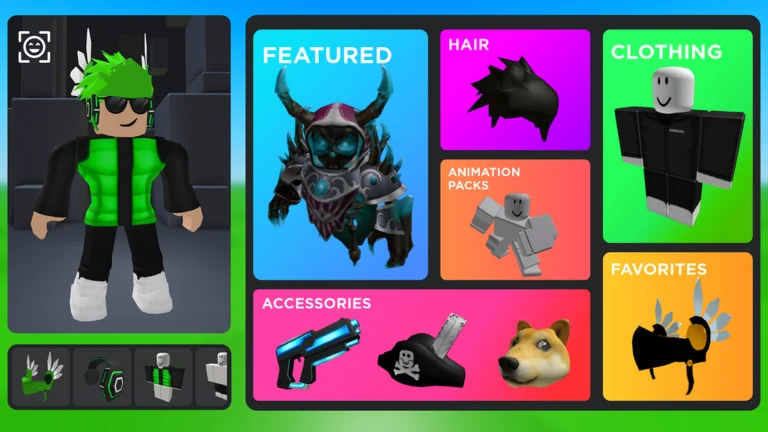
On top of the whole Roblox catalog, the game runs its own marketplace where players are the suppliers: you design and publish avatar items (clothing, accessories and more), they appear in the game's item pool, and other players buy them with Robux. It is the same try-on ecosystem as everything else in the game — buyers can preview any item free before purchasing — but the seller side is community-run.
Stated by developer · 2026-09-22How to publish your first item
The exact publish screens change with game updates, so treat this as the flow rather than button-by-button directions:
- Open the UGC Store section from the game's main areas (it sits alongside the item categories — see the items hub for how the catalog is organized).
- Design your item with the in-game creation tools — no external software is required for the basic flow.
- Publish it free to your store. Published items join the game's item pool alongside the official catalog.
- Earn when players buy — the creator side of each sale pays out in Robux.
Publishing at least one item also earns the official UGC Creator group role, alongside the other roles: Regular Customer (100+ items bought) and Outfit Designer (a published outfit passing 100,000 try-ons — see outfit codes).
Roblox API · 2026-10-09Why publish here instead of the Roblox creator hub?
The audience is the difference. Items published to the in-game store sit inside the try-on loop: every player browsing items, building outfits and testing animation packs sees creator-made pieces next to catalog staples — and can try them on free before buying. It is the lowest-friction shelf a new creator can ask for.
Community report · 2026-10-09FAQ
Does publishing cost Robux?
No — the official group description states the UGC store is free to publish to (that free-publishing model is also what earned the game its UGC Creator role definition).
How much do creators earn?
Creator payouts come from item sales in Robux; the exact revenue split has never been published (to be verified). What is official: publishing earns the UGC Creator role, and items sell to the game's player base.
Where do my published items appear?
In the game's item pool next to catalog items — players can find them by category, paste their asset IDs directly, and include them in published outfits.
Related
- How to play — the outfit loop end to end
- Outfit codes — the outfit side of publishing
- Items hub — the category map your items join
All guide
Related pages