Catalog Avatar Creator Items Not Loading — Causes & Fixes
When Catalog Avatar Creator items will not load — loader spins, invisible items, empty inventory: server-side causes, sync delays, and the fix checklist for phone, tablet and PC.
Items not loading — or the game “not working” more generally — in Catalog Avatar Creator show up in two flavors: single items that render invisible or never appear, and the whole outfit loader failing to bring anything up at all — reported on both phones and tablets. The second kind is usually server-side, not your device, which changes what actually fixes it. Here is how to tell them apart and what to do for each.
Community report · 2026-09-21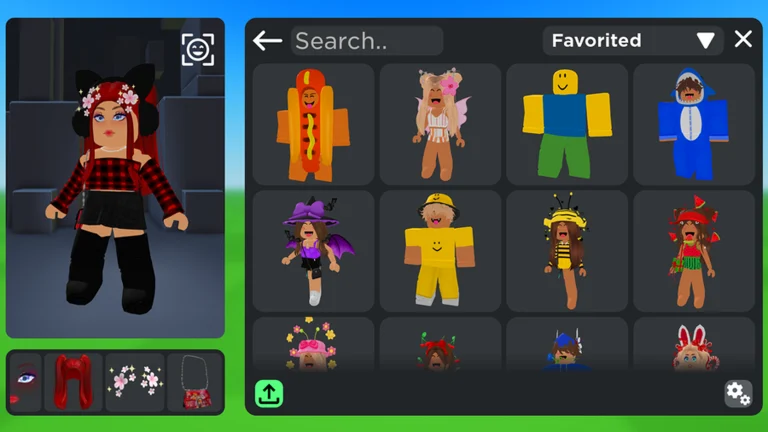
Official in-game image © Muneeb via the Roblox game page.
Quick answer
Quick answer: if nothing loads at all, it is usually the game's servers — wait a few minutes and rejoin. If one item is invisible, rejoin once, then check whether the item is off-sale or moderated in the Roblox catalog. If a fresh purchase looks missing from your inventory, that is a sync delay: rejoin and refresh before assuming the purchase failed.
First: which problem do you have?
| Symptom | Likely cause | Go to |
|---|---|---|
| Outfit loader spins, nothing loads (any device) | Server-side issue | Fix 1 |
| One specific item invisible / missing | Asset-level problem | Fix 2 |
| Just-bought item missing from inventory | Inventory sync delay | Fix 3 |
| Item on your Roblox avatar, not in this game | Editor-equip misunderstanding | Clothes not showing guide |
Fix 1 — the whole loader is down
When the whole loader dies, it is usually not your device — reported cases hit lots of players at once, which points at the game's backend:
- Wait 5–15 minutes and rejoin. Server-side incidents pass; retrying every minute changes nothing.
- Check whether others are affected — the game's community channels and the Roblox status page will show a broader incident.
- Check live load. After big updates or event spikes, load can lag; the player count page shows when the game is unusually busy.
Fix 2 — one item will not load
- Rejoin once. Asset streams drop; a fresh join re-fetches them.
- Open the item's catalog page. Off-sale, deleted or moderated items can stop rendering entirely — this also explains item IDs that "do nothing" (see item IDs).
- Clear cache / update the app. Stale local assets are a classic post-update cause.
- Test the same item on another device. Works elsewhere → your client cache; fails everywhere → the asset itself.
Fix 3 — a purchase has not appeared
The official promise is that in-game purchases land in your Roblox inventory for use in all games — but the transfer is not always instant:
- Rejoin the game and refresh your inventory on the website or app. Most delays clear here.
- Check your Robux transaction history. If you were charged but the item never appears after a rejoin and a wait, take it up with Roblox support and give them your transaction details. This has happened before: a bug reported on the DevForum in 2022 charged players for purchases that failed.
Prevention: smaller blast radius
- Save outfits as you go. If a loading wave hits, a saved look restores your progress instantly — see how to play for the save flow. (One quirk to know: unnamed saves reportedly load more reliably than named ones — to be verified.)
- Avoid
/test. The test server from the commands list is explicitly unstable; do your real wardrobe work on the main game or a/vipempty server.
FAQ
Is "items not loading" a ban or account problem?
No — and it does not mean anything is wrong with your account. Loading failures are a rendering and sync problem; moderation affects specific items, not your whole loader.
Does this happen more on mobile?
The full-loader kind hits phones, tablets and PCs alike — which fits, because the cause is on the game's servers. The single-item kind can come down to one device's cache, and that is where mobile and PC differ.
Why did this start right after an update?
Updates invalidate cached assets. The game updated as recently as September 20, 2026 per the Roblox API — after update days, stale-cache symptoms spike; clearing cache and rejoining usually settles it. Track update timing on the update log.
Roblox API · 2026-09-21All guide
Related pages